Wednesday, September 30, 2009

Sunflower Broadband Gold Internet to receive upgrade

Mere days after we decided to go with U-Verse for our internet needs, we (as well as presumably every subscriber in Lawrence) got a letter from Sunflower Broadband detailing upgrades to their top-of-the-line Gold Internet package, starting November 1 (the news about the upgrade still isn't on Sunflower's web site as of this writing). This is the very package we recently subscribed to that we switched from to U-Verse. Does the new plan give us some serious "buyers remorse?"

Let's take a comparison:


Existing GoldUpgraded GoldU-Verse Max 18
Download21 mbit50 mbit18 mbit
Upload.75 mbit1 mbit1.5 mbit
Bandwidth cap50 GB120 GBunlimited
Price$50$60$65


So, to summarize, for an extra $10 per month, Sunflower Gold customers will get over twice the download speed and bandwidth, and a very slight boost in upload speed. Not mentioned in the letter is the technology which make's Sunflower's upgrade possible, DOCSIS 3.0, which promises, as one of its features, better management ability of the data streams, which will hopefully end the evening congestion and slowdowns that have frustrated many cable modem customers. The faster download speed should be really nice for downloading huge files, such as operating systems and online movies and television. While many users won't see the theoretical maximum connecting to public sites on the internet, the fact that these speeds are starting to become available to home users is a great sign for the future. This is a solid upgrade and I congratulate Sunflower for bringing DOCSIS 3.0 technology to Lawrence.

While a good value for the extra $10, it isn't quite enough to win us back for now. I am disappointed to see the upload speed of the upgraded Gold plan is still an anemic 1 mbit, which is 50% less the our U-Verse connection and barely any better then the old Gold plan. Given how much upload speed matters for common tasks like uploading home photos and movies to online sharing sites, as well as file sharing and connecting to corporate VPNs, the almost unchanged upload speed isn't very impressive.

The increased bandwidth is very nice, and would make us worry less about unexpected overages, but it falls short of U-Verse's unlimited bandwidth, as well as continuing to be somewhat less then other cable providers such as Comcast which caps bandwidth at 250 gigabytes. Sunflower does offer a bandwidth-unlimited service called Palladium as an alternative, but variable download speeds and a still-slow upload don't make this an attractive option compared to U-Verse for now.

Sunflower's upgrades are good news for customers and makes the Internet choice closer then it was 24 hours ago. In the past, Sunflower has often "tweaked" their offerings, and if they bump the new Gold upload speeds up a megabit or so and continue to adjust their bandwidth limits higher, they have a good shot at winning our business back yet. For now though, we will still stick with U-Verse as long as its price and reliability continue unchanged.

The Verdict: Landline Telephone

It's kinda of anti-climactic, but we are going with AT&T U-Verse for our landline telephone. This is partially because we don't have much of a choice -- AT&T requires that you subscribe to at least two of the U-Verse packages to maintain service. Since we want the Internet and don't want the television, we have to maintain the phone service to keep subscribing.

There apparently is not concept of "dry loop" U-Verse. With regular DSL, you can subscribe without any ancillary phone service, and pay an extra $10 per month for this, but AT&T chose not to carry this ability over to U-Verse.

Luckily, we actually like the phone service so it's not much of an issue. The main pluses with U-Verse's phone is the internet-enabled management of the line, call logs, and voicemail messages, as well as unlimited long distance. I noted before the downside of touch tones not working all the time, but this is a relatively minor issue, albeit annoying -- and supposedly AT&T considers it a bug (they should!) and is trying to fix it.

Anyway, that's that. U-Verse for internet and phone, and Sunflower Broadband for television....or is it? This trial has been around a month. While I have gotten good ideas about each service's features and reliability, the fact is, 1 month is too short to figure everything out.

How is U-Verse's long term reliability? What about customer service consistency? We will continue to re-evaluate our service providers based on their own performance as well as new offers and changes from competitors. I plan to keep this blog going, as a resource for Lawrence, Kansas broadband users, as well as as a resource for the increasing number of visitors from outside Lawrence.

Friday, September 25, 2009

The Verdict: Internet

We decided to go with U-Verse for our Internet service, canceling our Sunflower Broadband internet, which we had used for over 13 years. U-Verse' top line internet costs $15 more per month then Sunflower's; we decided that the advantages of U-Verse for internet were enough to make this extra $15 per month a reasonable value.

My main concern with U-Verse's service was its reliability. While, as they always say "past performance is no guarantee of future results," in four weeks of testing, our U-Verse internet has not gone down once, even for a single minute. Even during intensive ping testing, U-Verse never has lost more then a few packets during any 24-hour period. Furthermore, the speed of U-Verse has been remarkably consistent, always ranging between 16 and 17 mbit down and about 1.4 mbit up, no matter the time of day.

While Sunflower's internet service is very fast at certain times of day, it frequently slows down during evenings or other times of heavy network use, sometimes to less then half of the speed we were paying for. Furthermore, the internet services would occasionally go down, sometimes for a few minutes, other times for longer. During the last 6 months, our Sunflower uptime was 99.14%, and U-Verse's (over the past 4 weeks) was 99.99%.

The other primary reason we went with U-Verse was because U-Verse does not have bandwidth overage fees or any kind of bandwidth limits. Although we have been careful with Sunflower and managed to avoid any bandwidth overage charges, having "the meter running" all the time was annoying, and we worried that we could always be surprised with an unexpected charge. With U-Verse we do not have this worry. One could almost think of the $15 extra for U-verse as an insurance policy...it buys peace of mind not having to worry about bandwidth overages.

The Internet victor: AT&T U-Verse

Addendum....Advice for the losing team on what they can do to win a customer back...

So, for now we are with U-Verse for our Internet. What could Sunflower do to win us back as Internet customers? The main things would be to raise their internet bandwidth caps to a level where they would not be a worry (but would still deter immense hogs). Comcast has set a cap of 250 GB, way above Sunflower's current 70 GB limit. Sunflower could follow Comcast's lead here. They can also improve the speed and reliability of their network. A new cable internet standard called DOCSIS 3 may provide much greater speeds and more reliability. When Sunflower rolls this out (rumors have it coming later this fall), they might win some customers back, us included.

The Verdict: Television

We've decided to stick with the local cable company, Sunflower Broadband (with an assist from TiVo) for our television service. U-Verse had some exciting features, but in the end, these additional features were not worth an additional $25 or so per month (for the television portion of the bill), especially given our bias toward the TiVo UI and experience.

The quality of the HD signal ended up being a push. Neither U-Verse nor Sunflower seemed dramatically better or worse then the other. The only noticeable difference was that U-Verse's picture seemed somewhat darker (something others had noticed). Actual watch-ability of HD on both services was fine. As an aside, during my research, I found this great guide to the interpretation and understanding of HD quality, I highly recommend it to anyone interested in the subject.

When we compared the two providers, the main advantages of U-Verse was the seamless integration of the service on multiple TVs, excellent online and remote scheduling, and a greater selection of channels. U-Verse's main disadvantages were that it was more expensive, the UI of the devices was inferior to TiVo, and it wasn't as good with advanced recording options (such as prioritizing shows and padding recording times).

The main advantage of Sunflower/TiVo was a cheaper price, more local channels, the excellent TiVo UI experience, and (at least for now) clear QAM support for the digital cable, allowing viewing on my Mac and other TVs without needed a set-top box. Sunflower's main disadvantages include the lack of seamless integration between TVs, poorer remote scheduling (although TiVo has been beefing this up), and the random 'jumping' of QAM TV channels.

In the end, the main determining factors came down to UI and price. Minor differences aside, both systems offer all the same major channels in HD that we would ever watch. Both offer DVR capability, and the picture quality of both is very similar. In the end, we decided the small advantages of U-Verse television in some areas were not worth an extra $25 per month.

The television victor: Sunflower Broadband.

Addendum....Advice for the losing team on what they can do to win a customer back...

So, for now we are with Sunflower for our television. What could AT&T do to win us over as television customers? The main thing would be for them to work on their pricing structure, as they are simply not competitive with 'standard' cable prices. They could start with killing the ridiculous extra $10 charge merely to watch HD television, and try to get the price for the typical 2 to 4 television household down within 10 or 15 bucks of cable. I understand they will always charge a bit more for some of the advanced features they provide (such as the seamless integration and such) but price is still an area they must work on. The second thing AT&T could do is hire a few human interface design experts to go over the set-top box UI, both on the screen and the remote control and try to make it a bit less annoying. TiVo is the gold standard, but in spite of my love towards TiVo, it is somewhat dated...so combine the usability of TiVo with a modern look and feel, and AT&T will have a winner.

Tuesday, September 22, 2009

Over halfway there...

So we are over halfway through our month long U-Verse trial, and we are finally at the point where we have a decent amount of real-world experience with the services to start thinking about whether we want to go all U-Verse, all Sunflower, or a mix of the two.

Here are some brief updates...

Internet

As I mentioned earlier the internet has been rock solid since our service call two weeks ago. In over two weeks of ping testing, I have had a single test cycle (out of several thousand) with any lost packets. Additionally, there has been no actual downtime so far. This is better then I have ever gotten with Sunflower, even after their network improvements at our node last Spring.

Internet speed has stayed pretty consistent at about 17 mbit down and about 1.45 mbit up. We tested dozens of times the first few days after we got our line serviced two weeks ago, and only occasionally since then, and have not seen any speed dips (other then when expected, such as during a big download). For comparison, our Sunflower Gold has been bouncing around between 10-18 mbit during recent evening tests.

We did discover, to our annoyance, that AT&T blocks outbound traffic through port 25 on their network, making it impossible to send email using the standard SMTP protocol. This doesn't affect things if you use web-based email (like GMail) or AT&T's own email servers, but if you use a third party server, you will be dead in the water. Luckily, you can call AT&T and they will unblock it if you request. We did this via a brief online chat with an AT&T rep and port 25 was opened up with no problems.

Score after 2 weeks: lean towards U-Verse. The service costs $15 more per month over Sunflower, but in return we get more reliable speed, faster upload, and no bandwidth limit.


Television

I've spent a lot of time examining U-Verse's and Sunflower's HD signals. I've watched a variety of shows, a lot of football, some fast-action nature shows and the usual prime-time dramas and comedies, and HD quality is quite similar. I give Sunflower a slight edge in overall HD quality. It seems a bit "tighter" especially handling faster motion (such as sports). The picture on Sunflower is also a bit brighter. U-Verse seems to be darker, which is especially noticeable in images with high contrast, such as the shadows and sun that mark outdoor scenes in "Lost." U-Verse seems a bit better handling very slow scenes, and sometimes human actors appear sharper with U-Verse. Overall, it is very close, and I suspect that the compression each provider uses probably explains the differences.

Honestly, I could be comfortable watching HD with either service. Neither one is remotely unwatchable, and neither one is a lot better then the other in quality.
U-Verse offers a lot more channels then Sunflower in the same service level, but of all these channels, only a few are ones we would ever want to watch. The ability to seamlessly watch recorded shows in multiple rooms is a huge win for U-Verse, but even after two weeks, I still do not like their remote control or UI, although I have gotten more used to it.

Score after two weeks: Leaning towards Sunflower. It's not just that I love my TiVo (although that is part of it). U-Verse is more expensive for television, and the added value so far doesn't appear to justify it. Slightly better HD quality doesn't hurt Sunflower's case either.


Telephone

The phone service has been perfectly fine, with one glaring exception. U-Verse phone service has some major problems when you use it to access automated systems that require you to make menu selections via touch tones (i.e. "Press 2 to be transferred to sales")

These tones are called DTMF tones and the U-Verse system has issue "translating" them to VOIP and back again. This issue doesn't happen all the time to all people. Based on some forum research, it looks like it depends on the local phone, the system at the other end, and the fickleness of AT&T's systems in the middle.

Score after two weeks: mild lean towards U-Verse. Better value for the money then Sunflower, but not being able to do something as basic as hit touch tones definitely harshes my mellow


So, how does it look overall? If I had to guess, I would say we will probably end up keeping U-Verse for phone and internet, and Sunflower for television. However, things could still change. It's not over til it's over!

Some snapshots of the U-Verse residential gateway config screens

This post is for geeks only...I finally got around to taking some screenshots of the various more interesting status and configuration screens inside the U-Verse residential gateway router. The router is a 2-Wire 3800HGV-B in case you are interested. These are all screenshots from the router's various configuration pages. I did take the liberty of removing private info like our IP address and other such data, so if you see a blank spot or a truncated number, it is me, not the router's UI.

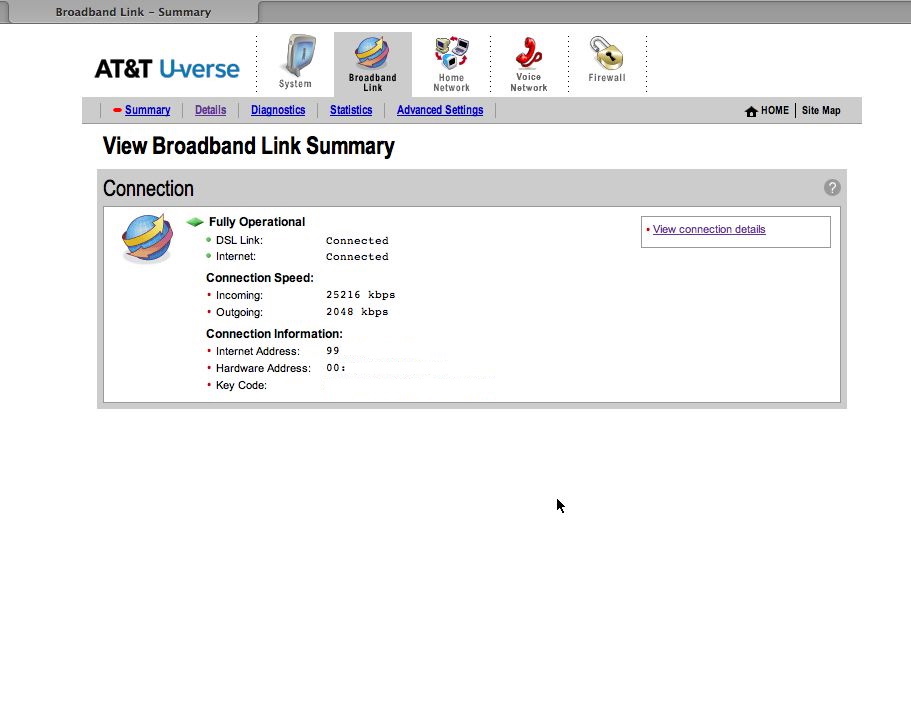
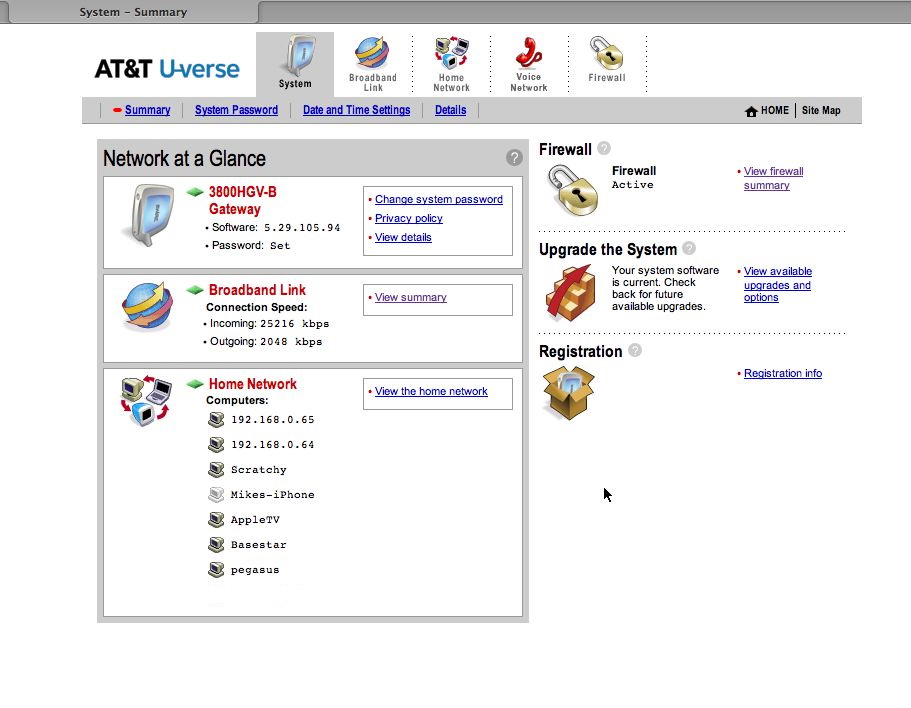
Main Summary
This is the main screen you see when you go to the router's web interface. It has an overview of the network, link status and so forth.

Broadband Link Overview
A brief overview of the DSL link

Broadband Link Details
Much juicier information on the overall state of the DSL link. Note the true speed of the DSL link is 25 megabits. Only 18 is given over to data, which means the remaining 7 is for the TV and voice services. It would be great if AT&T offered the full 25 Mbit as an option in lieu of TV, but alas...

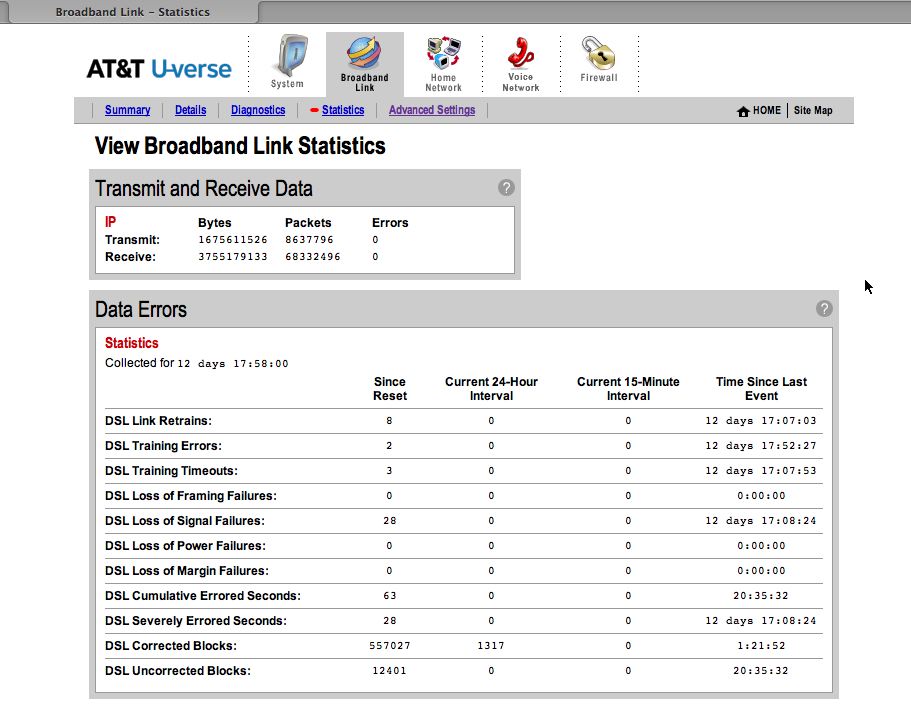
Broadband Link Errors
This page gives a list of all the various errors the DSL line may have experienced. From my research, the big warning signs of a bad connection are link retrains, errors and timeouts, as well as uncorrected blocks and severely errored seconds. Our screenshot has some scary numbers, but thankfully they were all from a service call 2 weeks ago while the AT&T guy was fiddling with our line. Since then it has been smooth (knocking on wood)

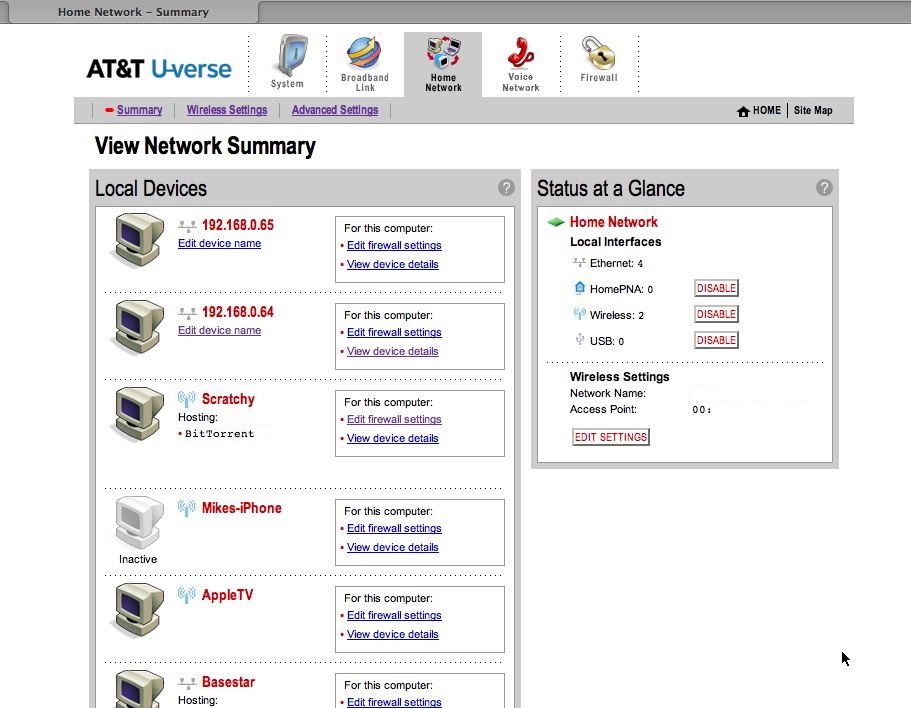
Private Network Summary
The main overview of the status of the private network, showing hosts and any active pinholes. You'll note two devices, *.65 and *.64; those are actually the two TV set-top boxes. They are just IP devices on the LAN.

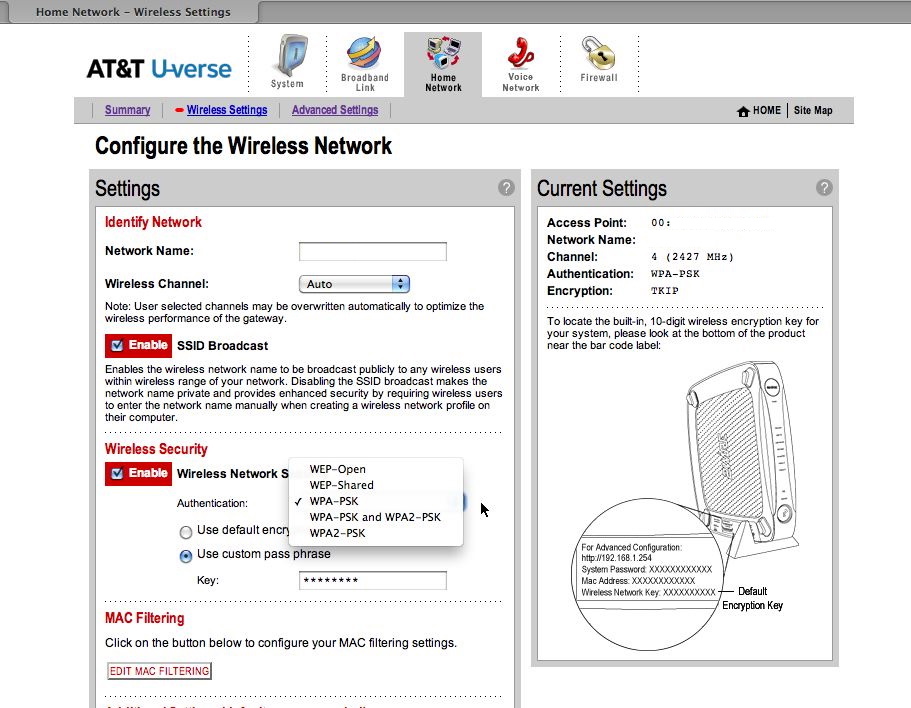
Wireless Settings
The standard wireless settings page. It offers the usual security options. Out of the box, the unit has WPA turned on, which is good.

NAT Mapping Settings
This is the page where you set NAT mapping (pinholes) for games and such. The router comes with a huge list of predefined ports for mapping, and allows user-defined ports as well, both TCP and UDP individual ports or ranges. You can also place a device in the DMZ, although I have not yet tested this specifically.

Add a custom NAT mapping
The dialog to add a custom port mapping.

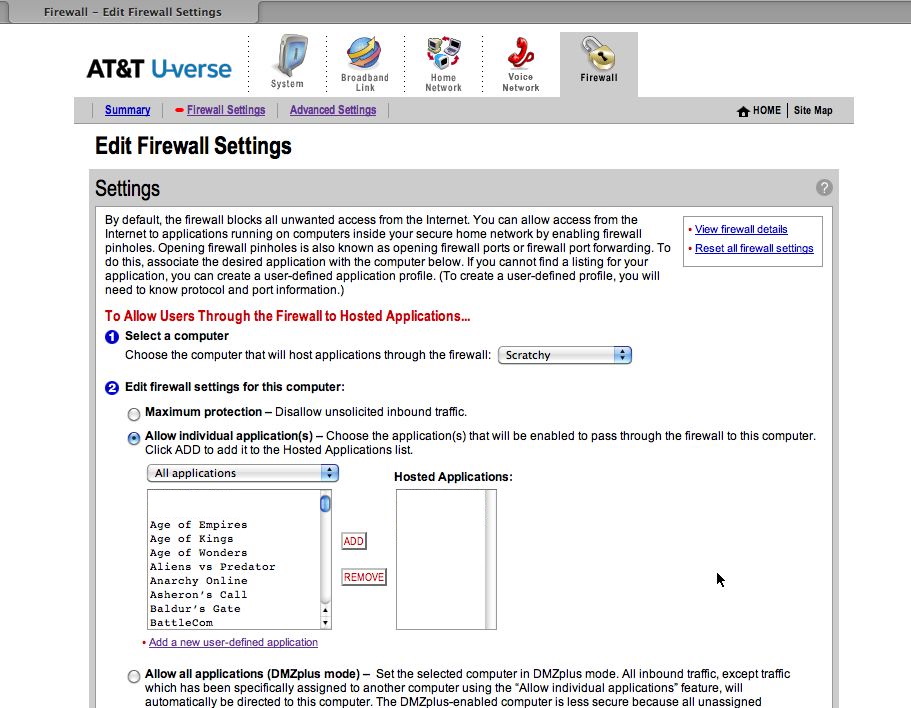
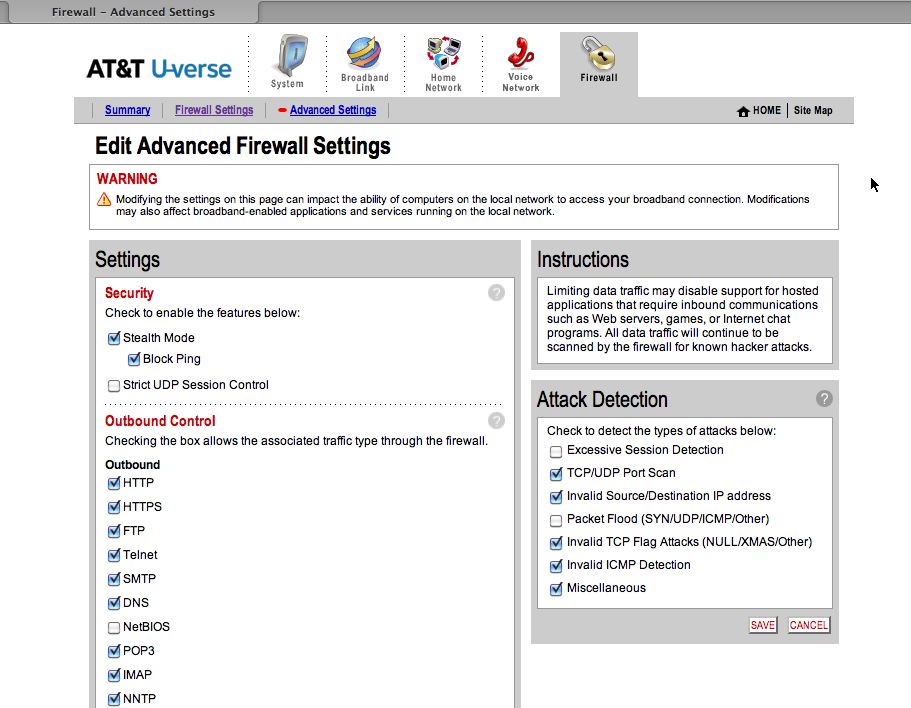
Firewall Settings
This is the router's overall firewall settings page. It offers basic protection from a variety of common attacks.

Private Network Address Allocator
This page allows you to set up address allocation for devices on the LAN. If offers both DHCP and static addresses, and you can also MAC address lock an address in the DHCP range to a specific device (so a device that uses DHCP will always get the same IP from the server)

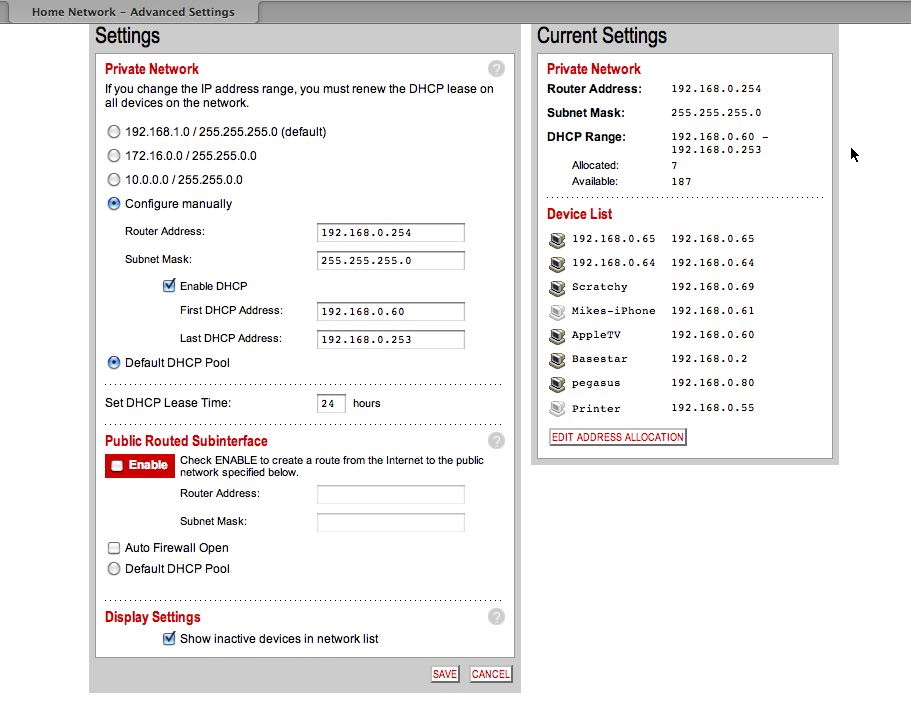
Advanced Networking
This page allows you to set up some advanced features, including public routed subinterfaces and changing the IP range for the private network.

Thursday, September 17, 2009

Quick tour of some of the U-Verse TV UI

Some highlights...

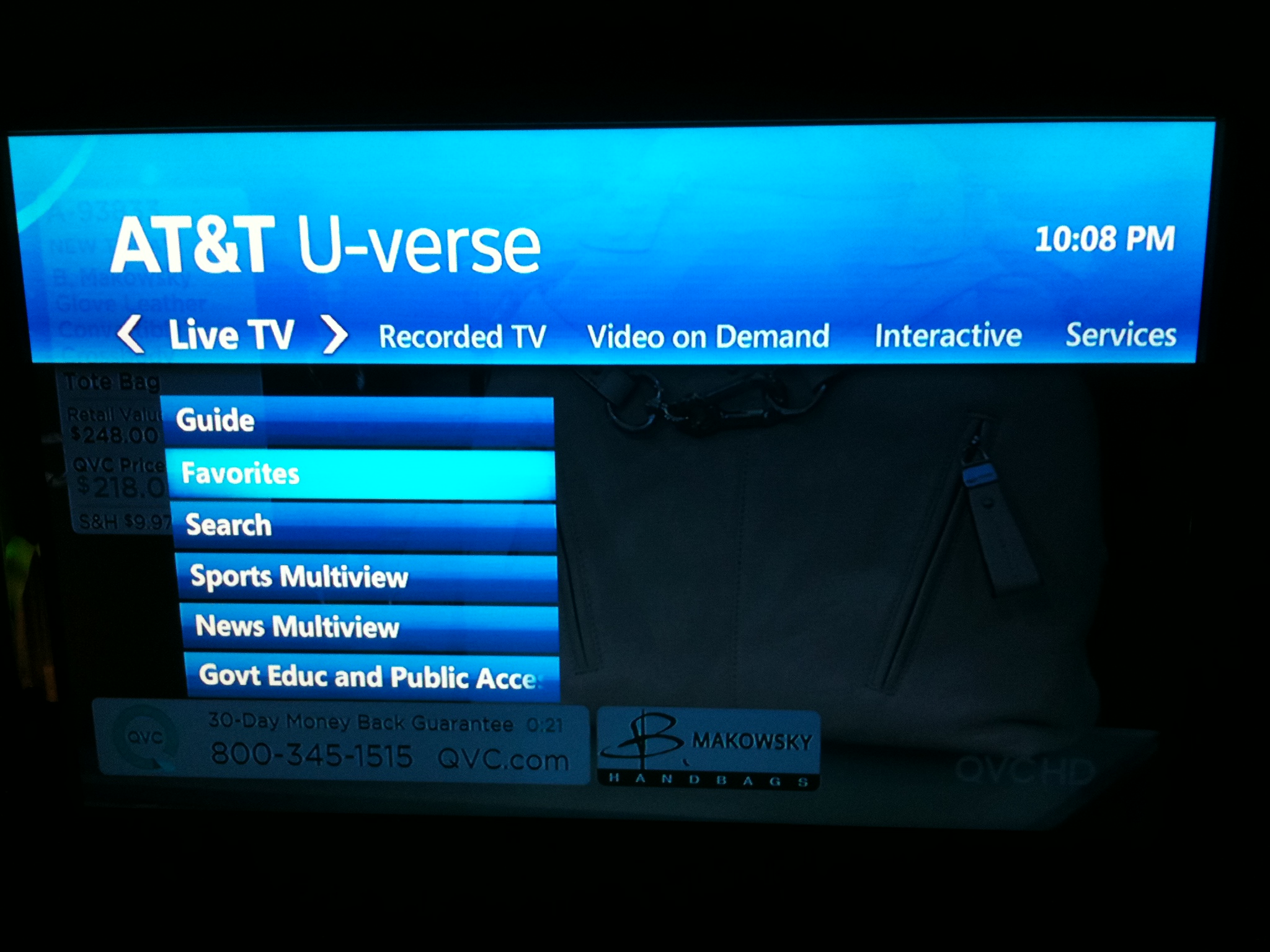
Main U-Verse screen
The main screen you see when you "enter" the U-Verse menu system. Note the "blue everywhere" color scheme and the light blue selected item (which is easier to see in the photo then on the actual TV screen)

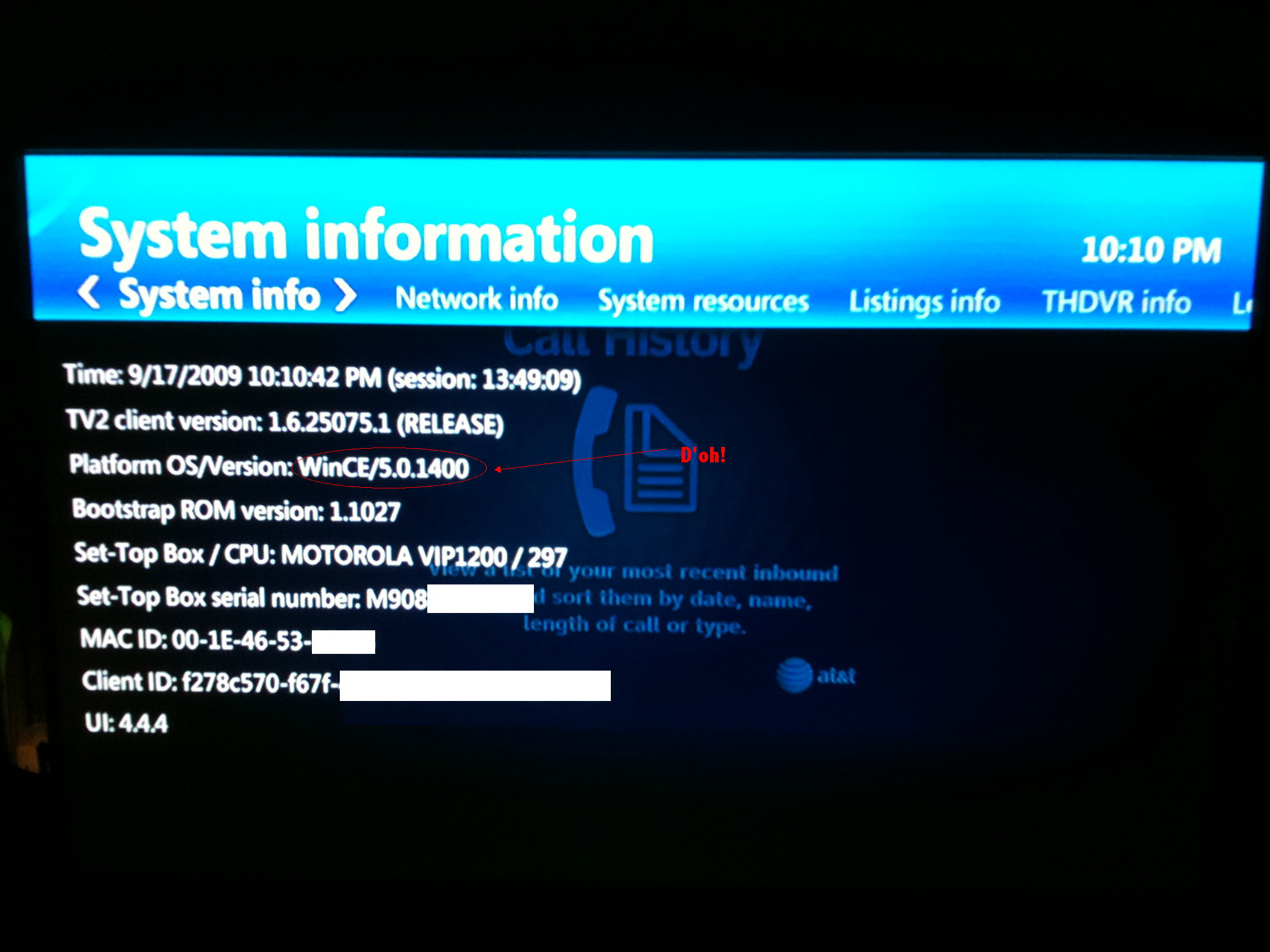
U-Verse device info
The "System Info" for the box. WinCE!

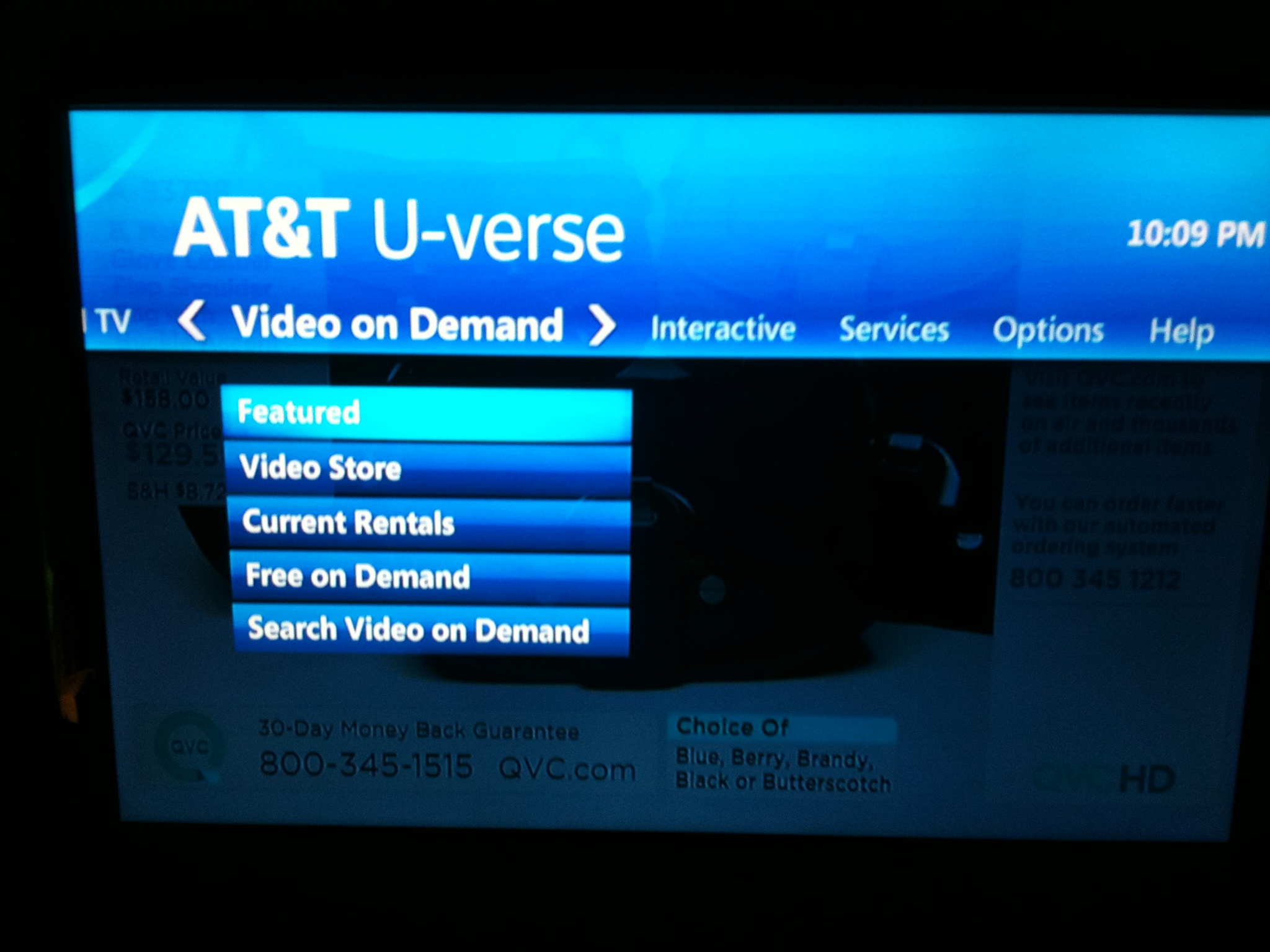
U-Verse Video On Demand menu
Main VOD menu

U-Verse interactive menu
This is the applications menu; each of these actually launches an "app" for things like local weather, and such.

U-Verse schedule
The list of scheduled recordings.

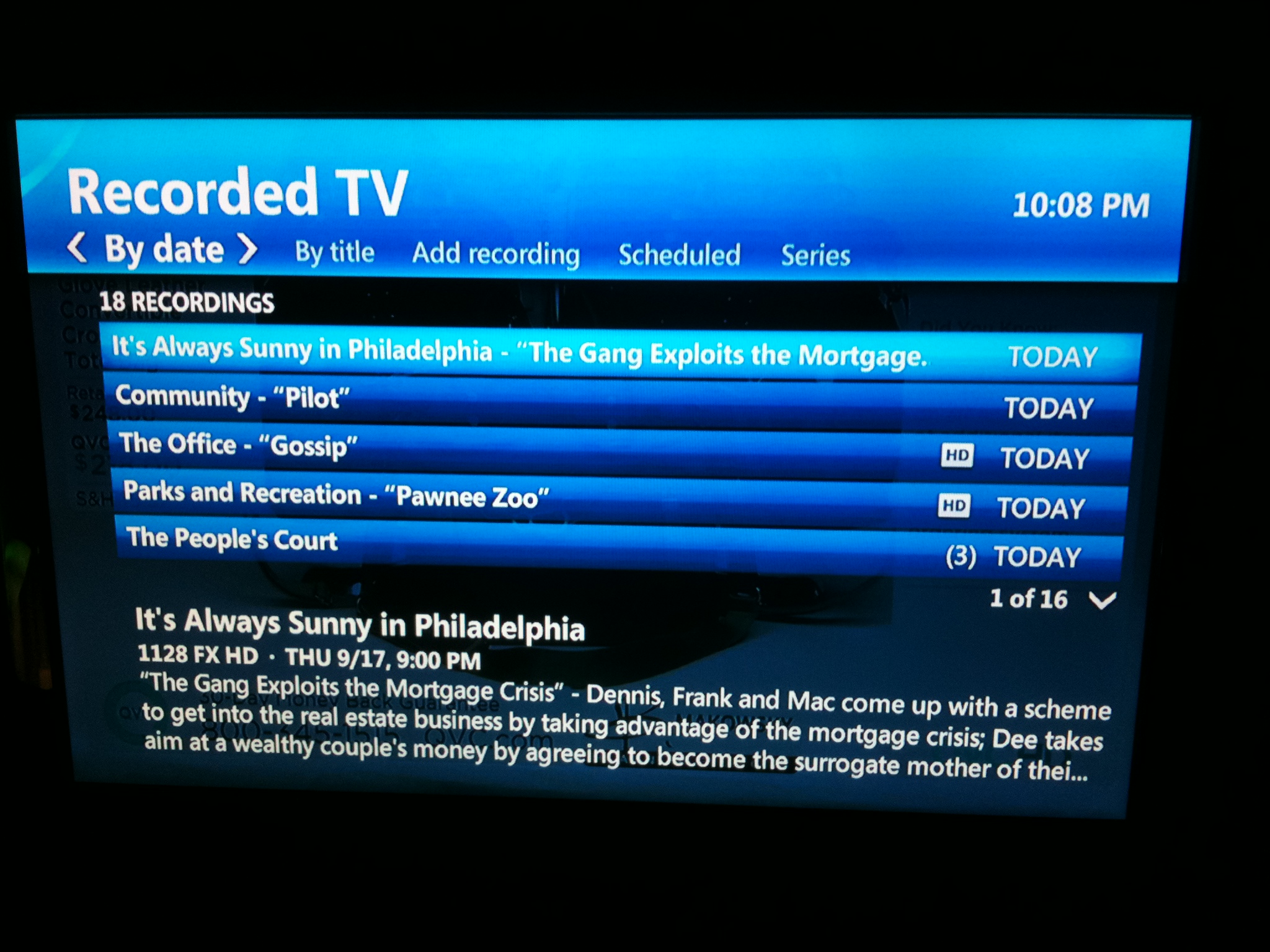
U-Verse recorded shows
The menu for already-recorded shows.

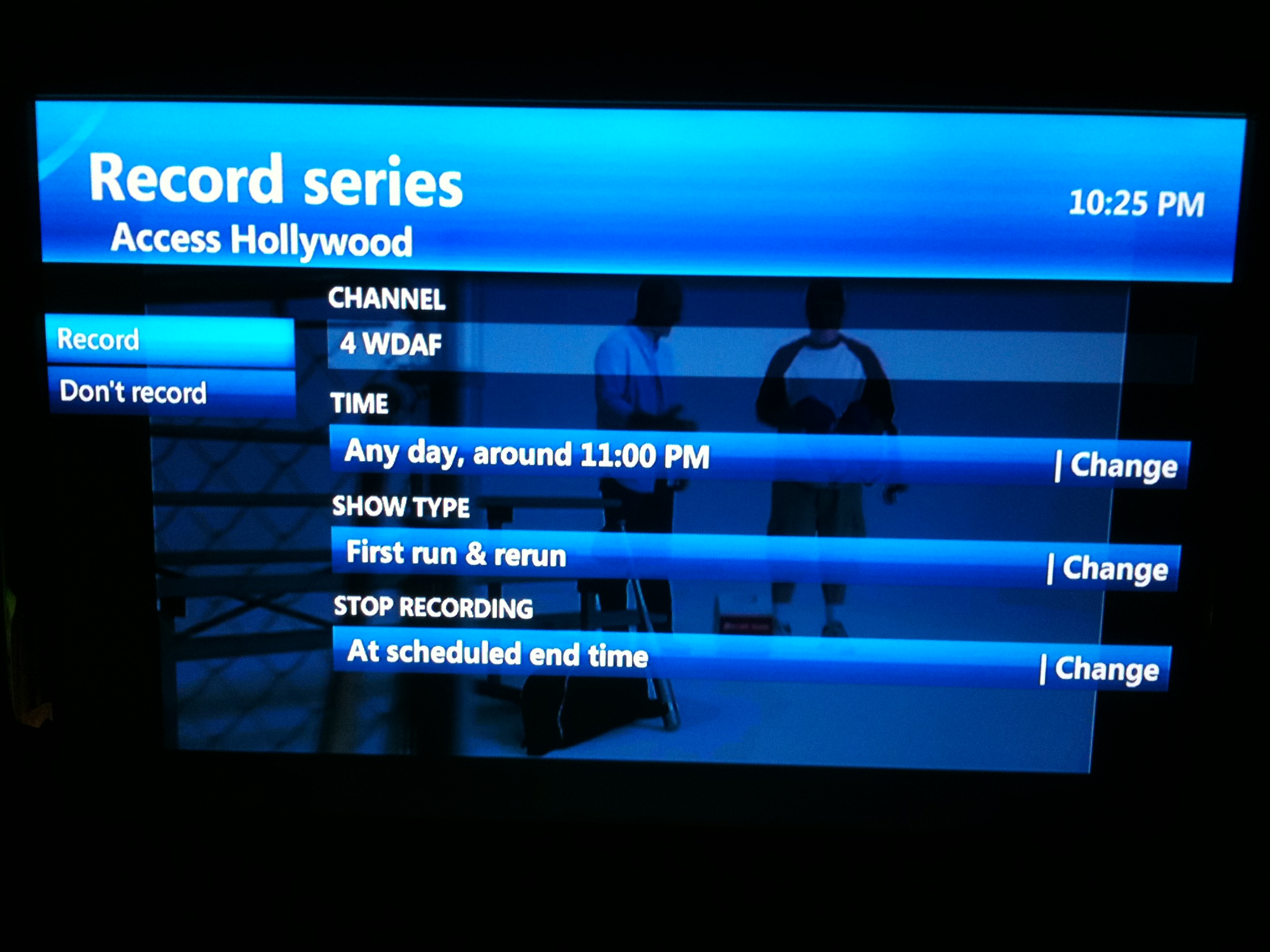
U-Verse recording set-up screen
The main screen for setting up a new recording.

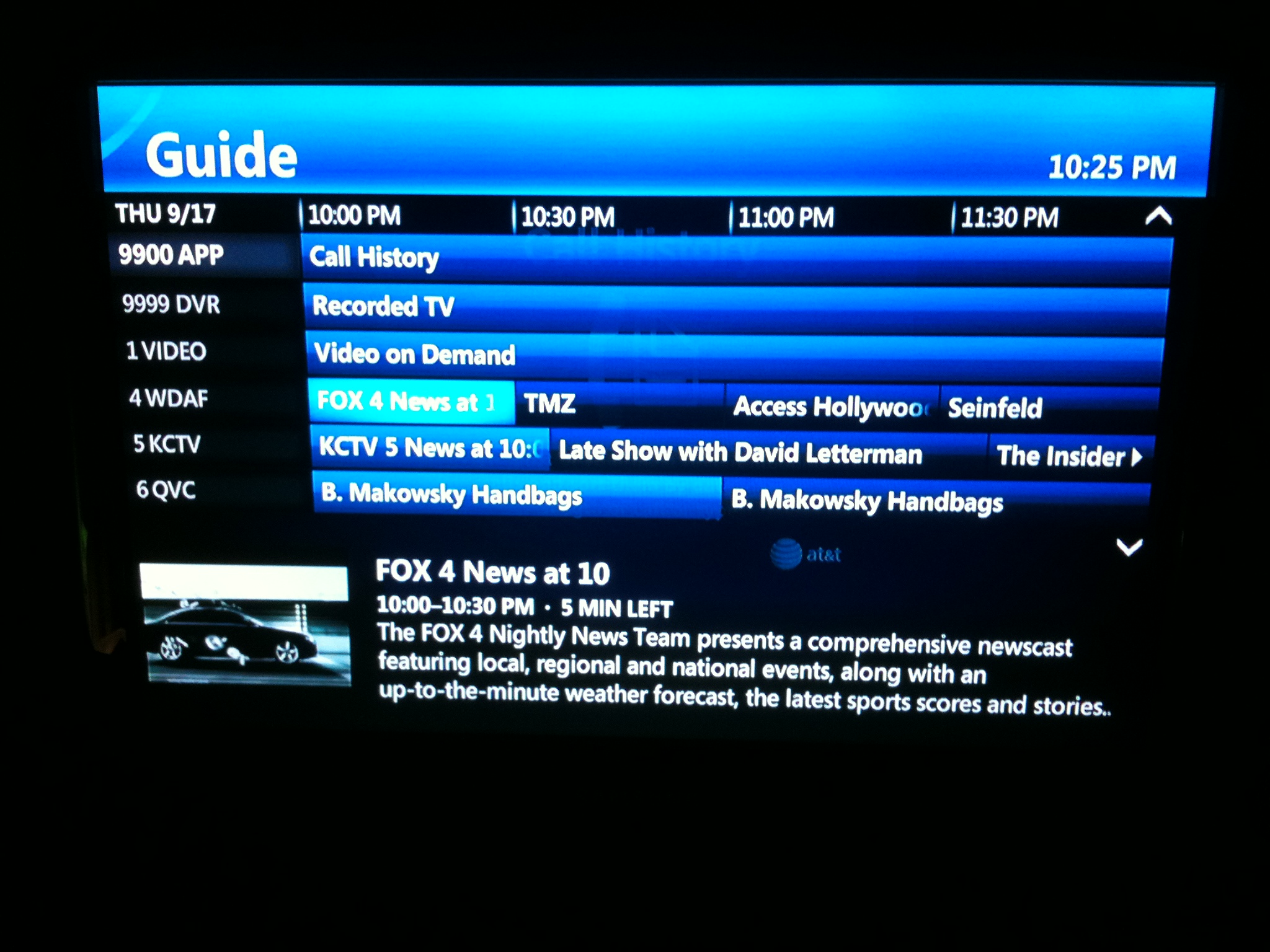
U-Verse program guide
The main program guide view.